API Key Management
This page explains how to create, manage, and secure API keys for accessing LLMrouter services.
Overview
API keys are used to authenticate and authorize access to LLMrouter APIs. Proper management of API keys is essential for security and operational efficiency.
Creating an API Key
- Navigate to the API Key Assignment section in the LLMrouter dashboard.
- Click + Create API Key.
- Assign a name and routing strategy to the new API key. (For now only the default routing strategy is available.)
- Save the generated key securely.
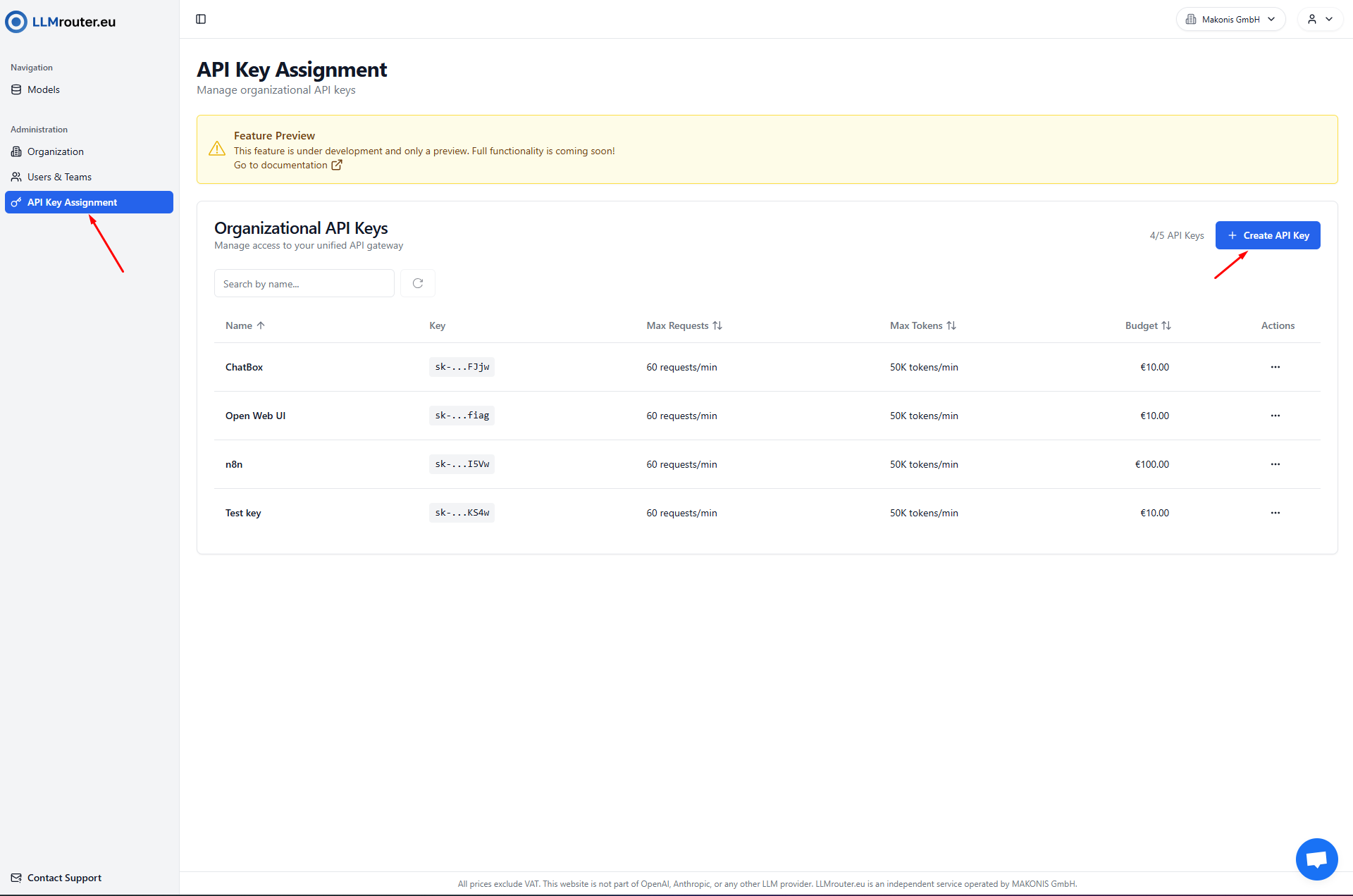
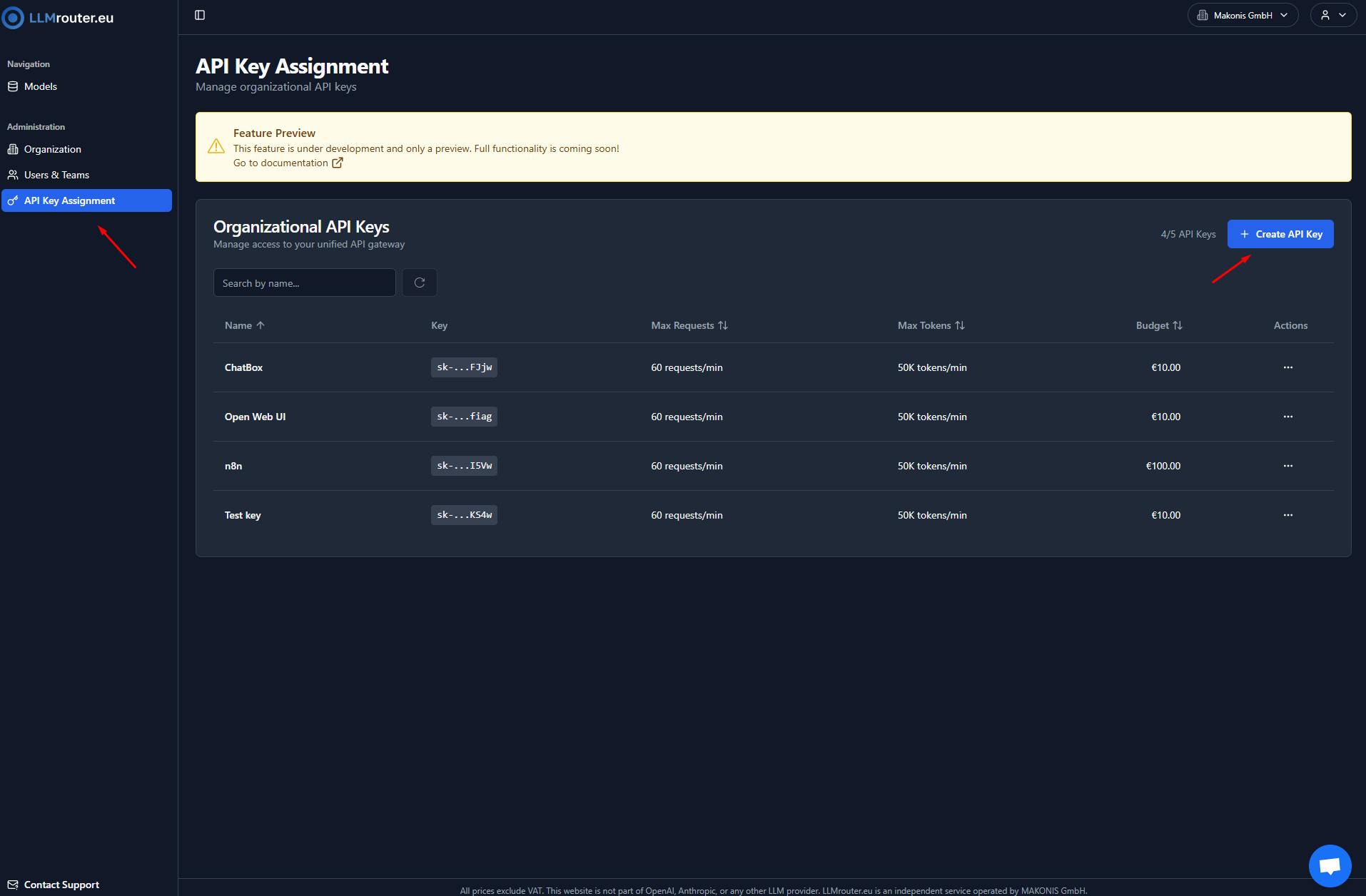
Figure 1: Overview of API Keys
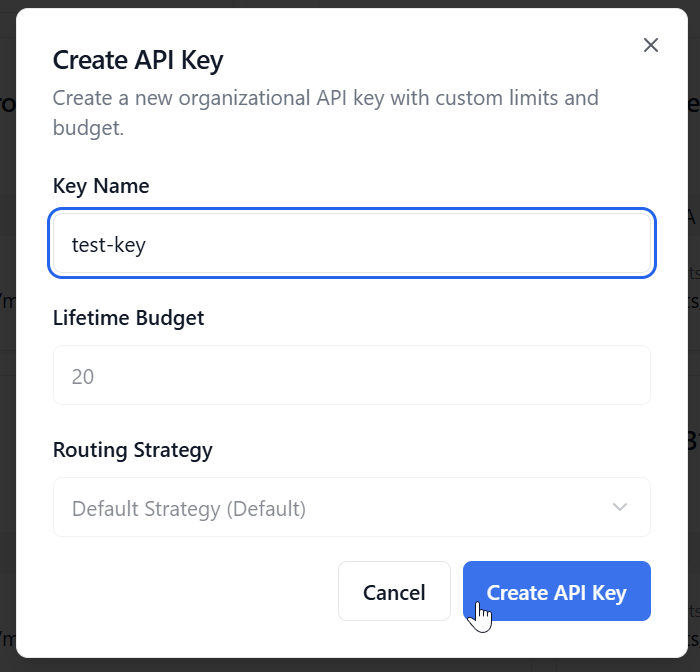
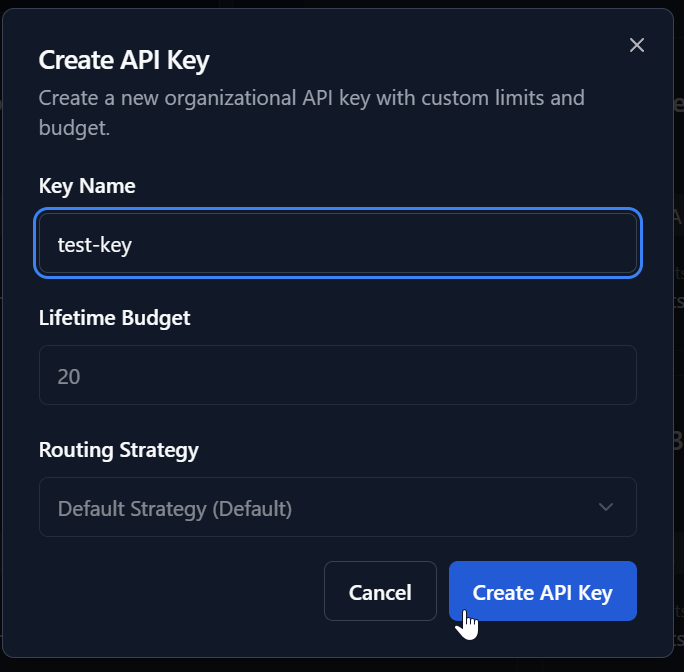
Figure 2: Create a new API Key
Security Best Practices
- Store API keys securely (never commit to source control).
- Rotate keys regularly.
Managing API Keys
- Edit Key: Edit existing key
- Delete Key: Delete key
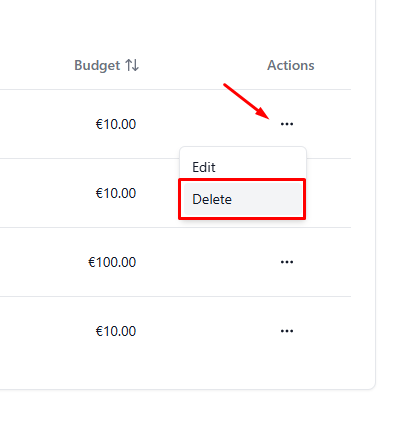
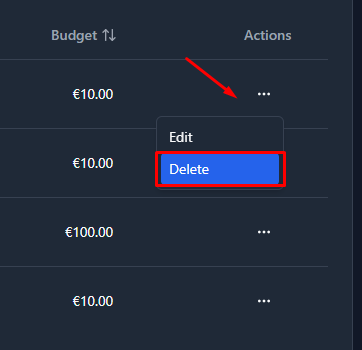
Figure 3: API Key options
Notes
This feature is currently in preview. Some functionality may not be fully available yet.